


Legend: How To Install Legend VMS

Sep 03, 2026
414

Installing Legend VMS for Remote Camera Viewing
Follow the steps below to create your remote viewing account and set up Legend VMS to access your security cameras remotely.
Before You Begin
You will need:
- An internet-connected Windows computer
- Access to the email address you will use to create your account
- Your Star4Live account credentials
Step 1 – Create Your Star4Live Account
- Open your web browser and go to www.Star4Live.com.
- Create a new account using your email address and a password.
- Once your account has been created, provide SecurU with the username associated with your account.
- SecurU will share your camera system with your Star4Live profile.
Important: The camera system cannot be accessed through Legend VMS until SecurU has shared the system with your Star4Live account.
Step 2 – Download Legend VMS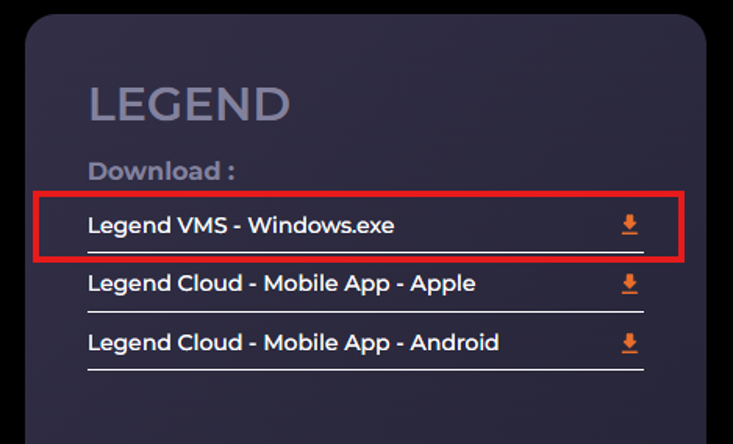
- Visit the Inaxsys Website here.
- Download the latest version of Legend VMS.
- Once the download is complete, open the installer and follow the on-screen instructions.
- Complete the installation.
Step 3 – Log In to Legend VMS
- Open Legend VMS.
- Select Device Management.
- From the menu on the left, select Cloud Device.
- Click Login.
- Enter the username and password you created on the Star4Live website.
- Once logged in, your shared camera system should be available.
Step 4 – View Your Cameras
- Select the Control Panel tab at the top of the screen.
- Select Live View.
- Locate your NVR in the device list.
- Drag the NVR into the first viewing window.
- Your cameras should now appear and display a live view.
Troubleshooting
If your cameras are not displayed after logging in, please confirm that:
- You are using the correct Star4Live username and password.
- SecurU has shared the camera system with your account.
- Legend VMS is the latest version.
- Your computer has an active internet connection.
If you continue to have difficulty accessing the cameras, please contact SecurU for assistance.

