Qolsys - Steps to Reboot Your Security Panel

May 21, 2026
69

There are two ways to reboot the panel. Please start with Method 1, and if you experience any difficulty, proceed to Method 2.
Method 1: Software Reboot (Recommended)
Use this method if the screen is responsive.
- Swipe Down on the top bar to open the menu.
- Tap Settings.
- Tap Advanced Settings.
- Enter your Master code.
- Tap Panel Reboot.
- Wait for the system to restart (about 15 minutes).
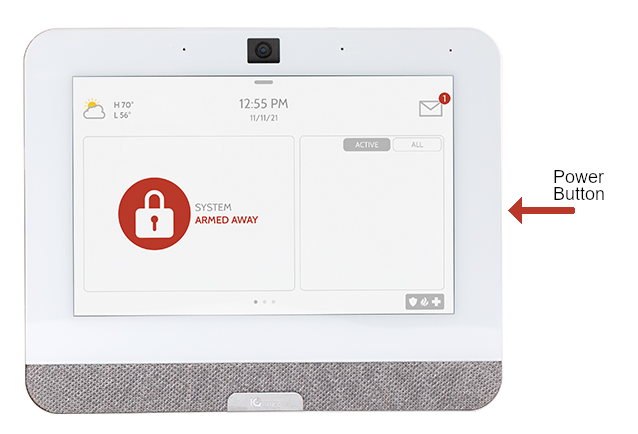
Method 2: Hard Reboot (Unresponsive Screen)
Use this method if the screen is frozen or blank.
- Locate the physical power button on the right-side edge of the panel.
- Press and hold the power button for 30 seconds.
- Release the button once the system begins to restart.
If you run into any issues or need assistance, please don’t hesitate to reach out.